4 Enable Collaboration Links
4.1 Goal
Generate controlled access links for temporary users, contractors, or customers so they can access specified sites without owning normal accounts.
4.2 Create Collaboration Content
Go to:
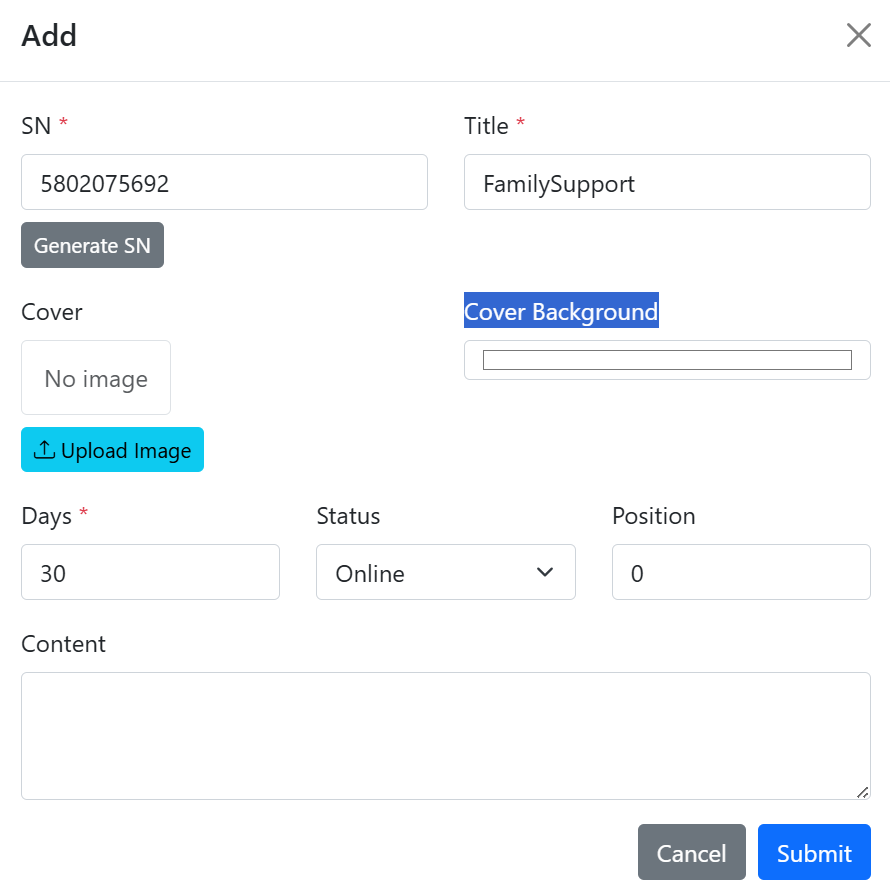
Collaboration Content Management > Collaboration Content ListCreate a collaboration content collection, as shown in Figure 4.1, and fill in the collection number, title, and validity period.
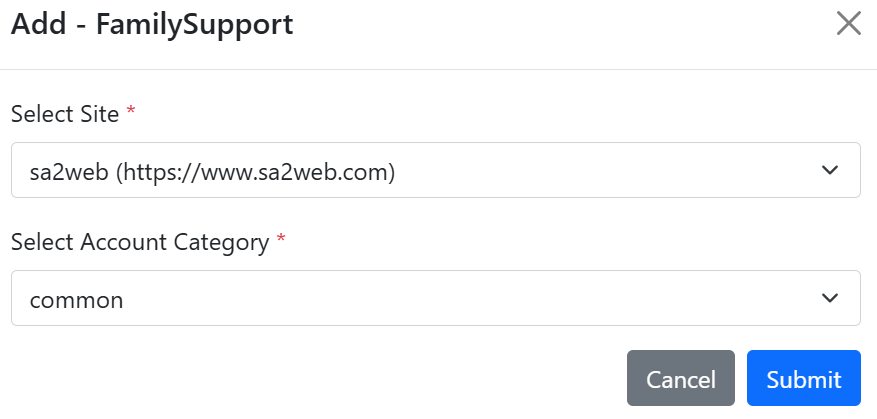
Click the “ ” button to add collaboration SaaS sites and site account categories, as shown in Figure 4.2. One collaboration content collection can contain multiple site account categories.
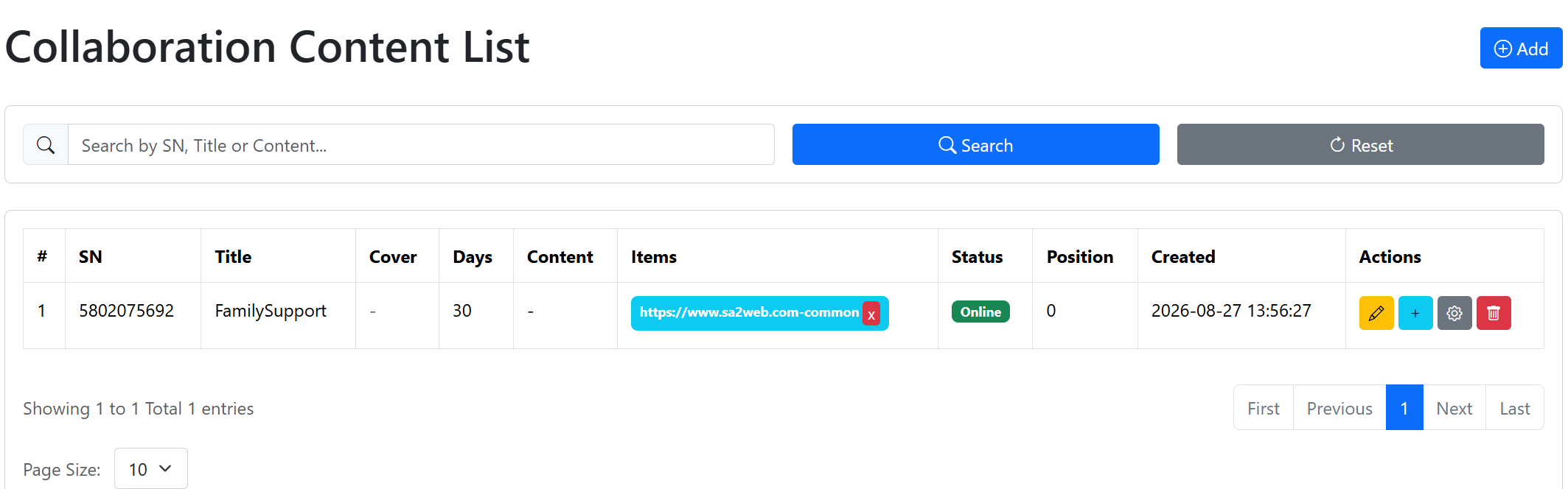
The collaboration content list is shown in Figure 4.3.
4.3 Create a Standard Collaboration Link
Go to:
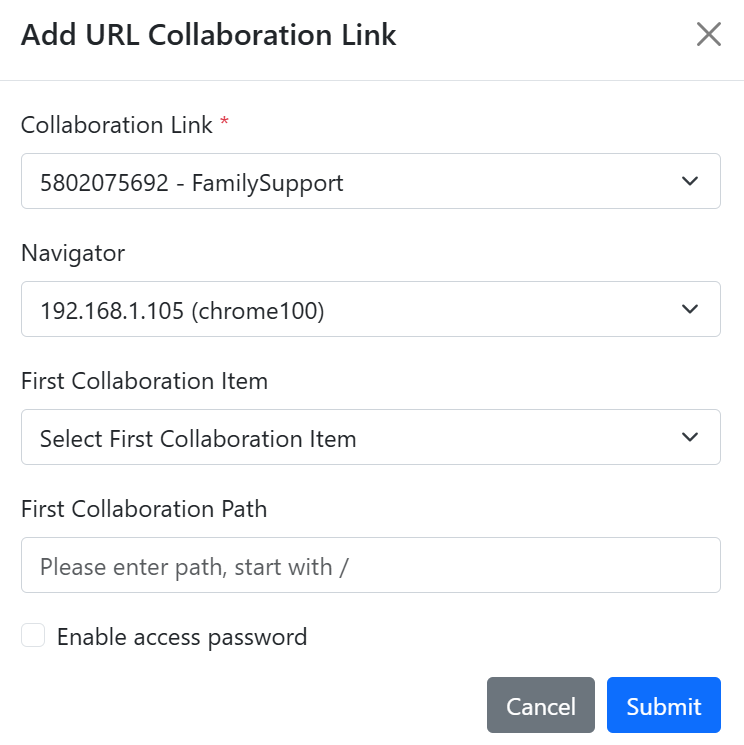
Collaboration Content Management > Collaboration Link ListClick the “ ” button to open the add collaboration link dialog, as shown in Figure 4.4.
In the dialog, choose:
- Collaboration content collection.
- Browser instance.
- Initial collaboration site to open.
- Collaboration site path, which should start with
/. - Whether to enable a collaboration access password.
After adding it, the link appears in the collaboration link list, as shown in Figure 4.5.
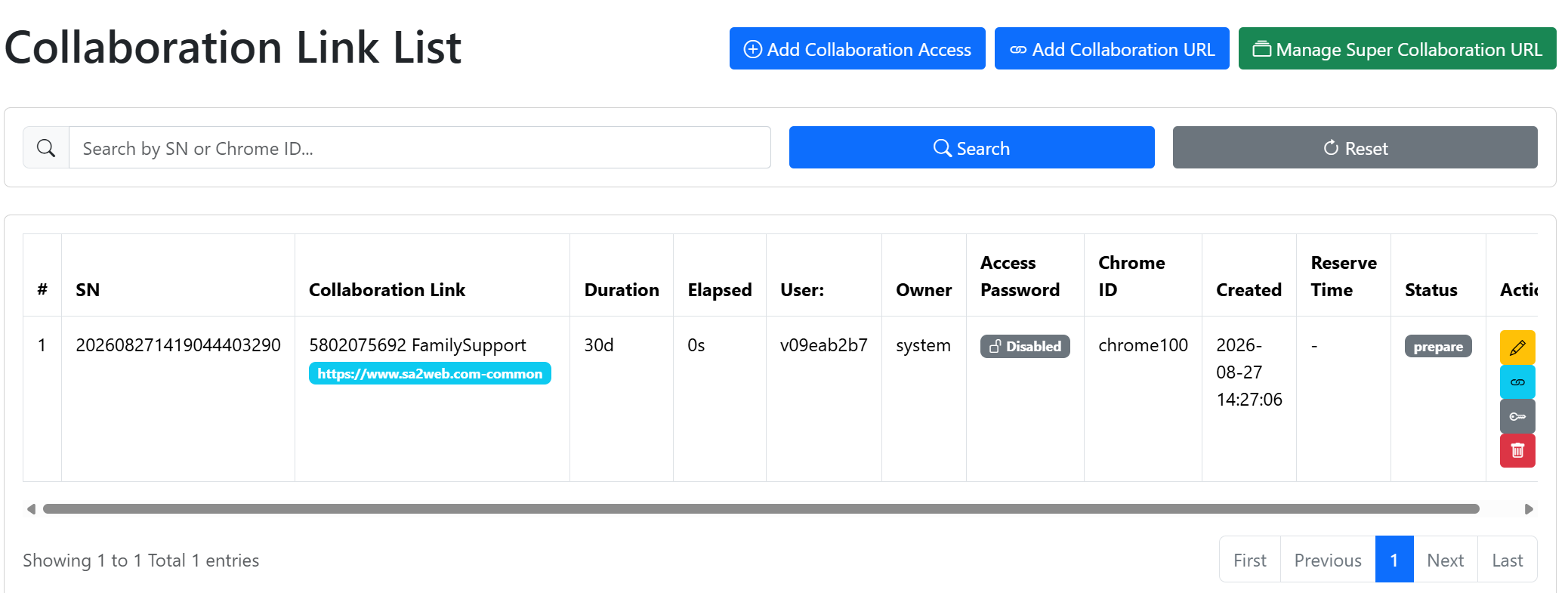
In the list, click the “ ” button to copy the collaboration link to the clipboard. You can then send it to temporary users, contractors, or customers.
Click the “ ” button to enable password access and view the password for the link. After temporary users open the link, they must enter the password to continue, as shown in Figure 4.6.
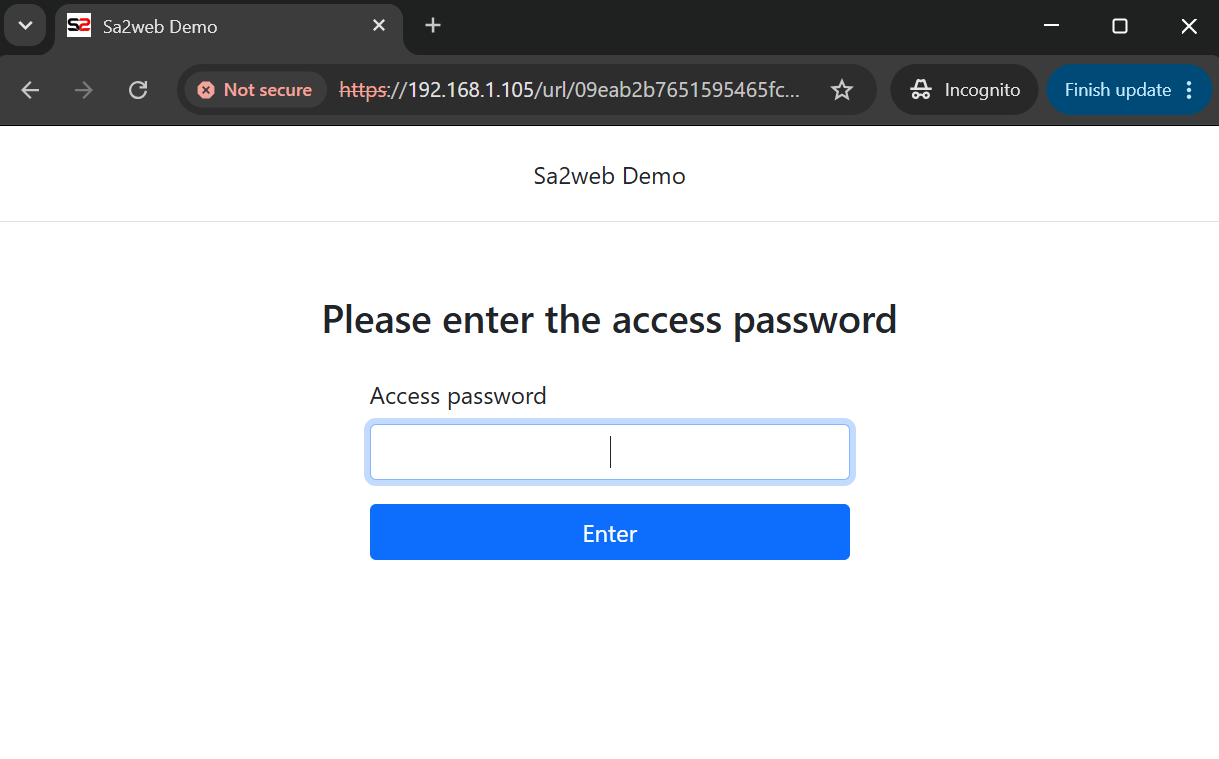
Click the “ ” button to disable password access.
Standard collaboration link format:
https://<APP_DOMAIN>/url/<uid>Standard collaboration links are suitable for one user, one-time access, or small-scale distribution.
4.4 Super Collaboration Links
If one link needs to support multiple users accessing at the same time or in batches, use a super collaboration link:
https://<APP_DOMAIN>/urls/<collSn>In the collaboration link list, click the “ ” button to open the super collaboration link page.
Click Add to open the add super collaboration link dialog, as shown in Figure 4.7. You can configure:
- Collaboration content collection.
- Number of collaboration users allowed to access.
- Initial collaboration site to open.
- Collaboration site path, which should start with
/. - Whether to enable a collaboration access password.
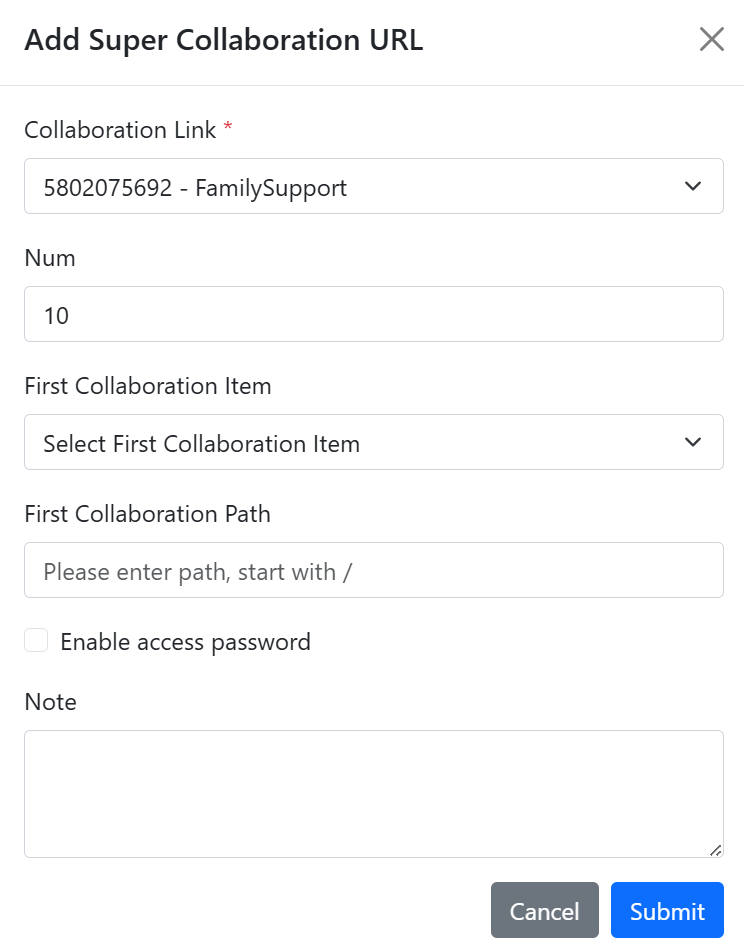
After adding it, the link appears in the super collaboration link list, as shown in Figure 4.8.
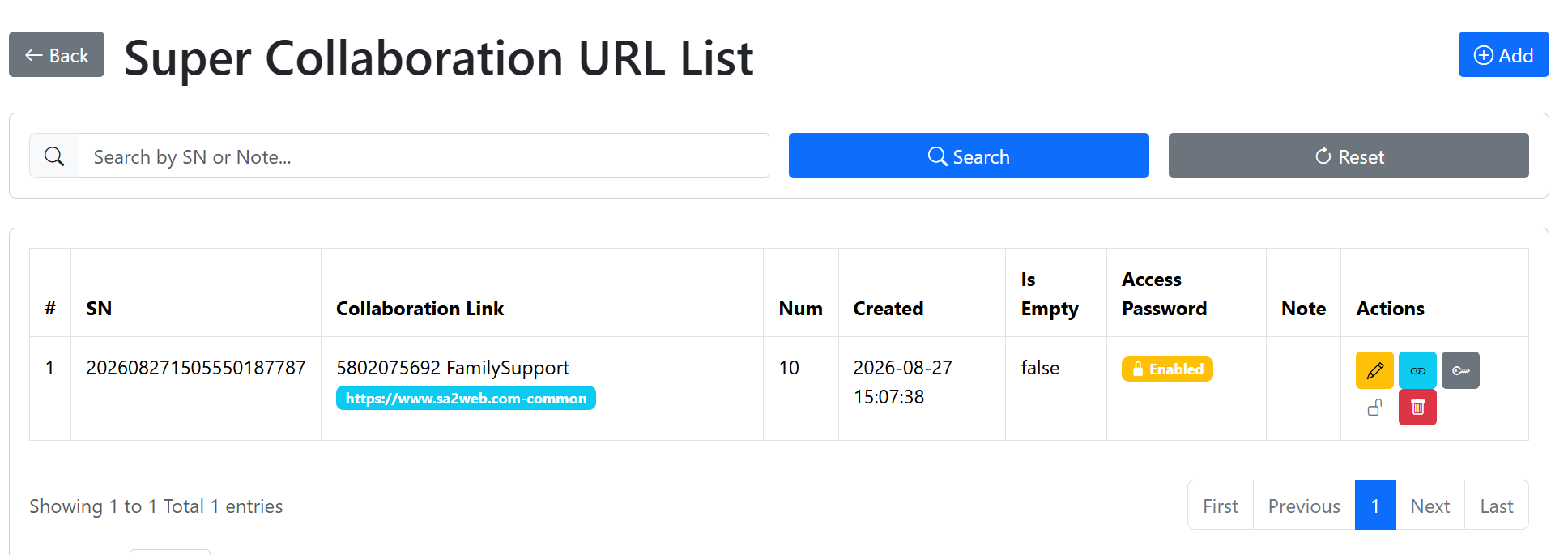
Super collaboration links are suitable for bulk distribution, customer delivery, events, and similar scenarios.