8 Protect Target URLs
8.1 Goal
Enable Encrypted URL to prevent the user frontend from directly showing the real origin address.
8.2 Suitable Scenarios
- Supplier portals.
- Special procurement channels.
- Customer backends.
- Internal systems.
- Private SaaS.
- Origin addresses that collaboration users should not know directly.
8.3 Enable Encrypted URL
Go to:
Site Management > Site List
Site Management > Inner Site List
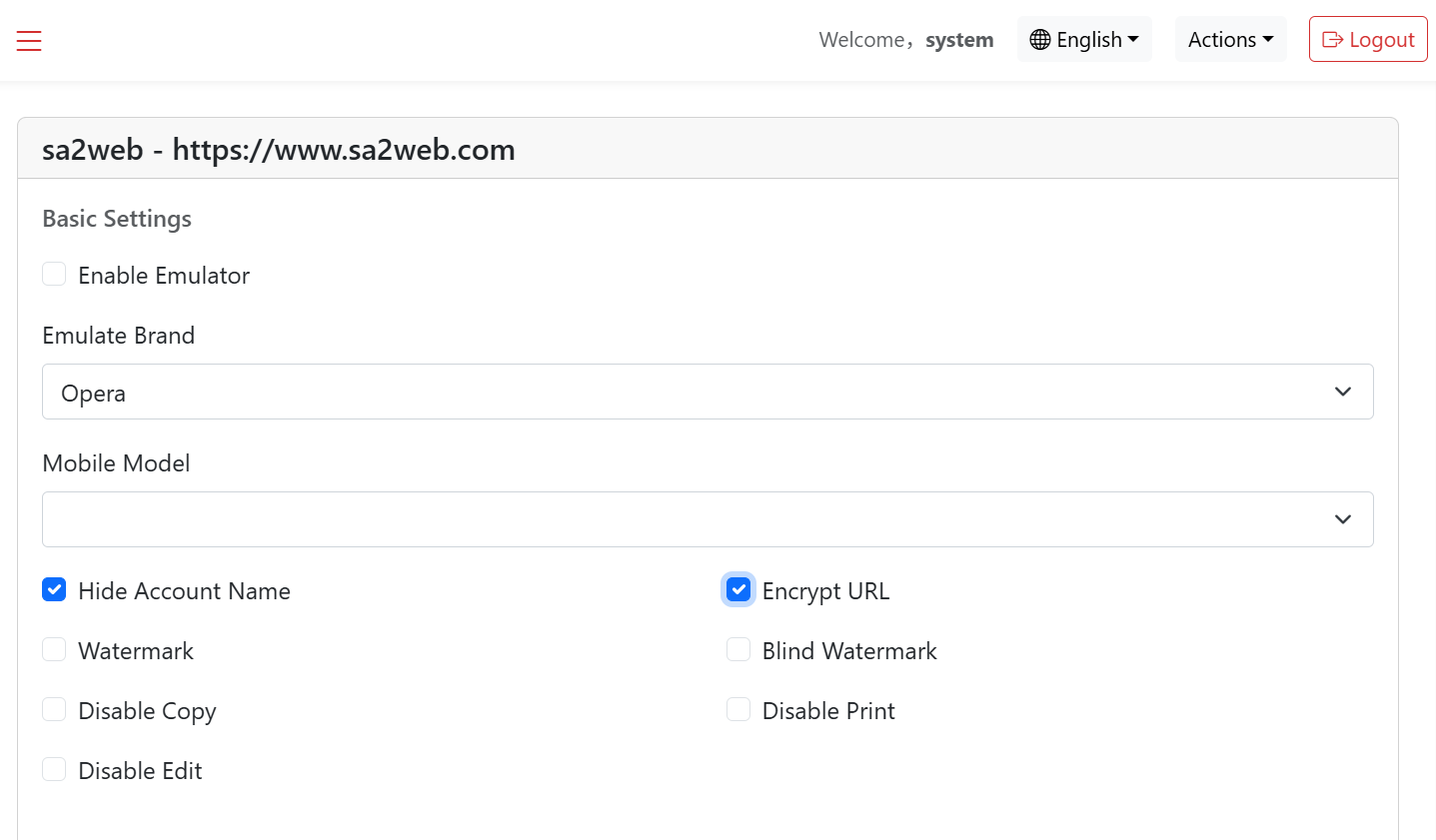
Find the target site or inner site and click the “ ” button to enter the site or inner site configuration page, as shown in Figure 8.1:
- Enable Encrypted URL.
- Save.
- Access again with a test account.
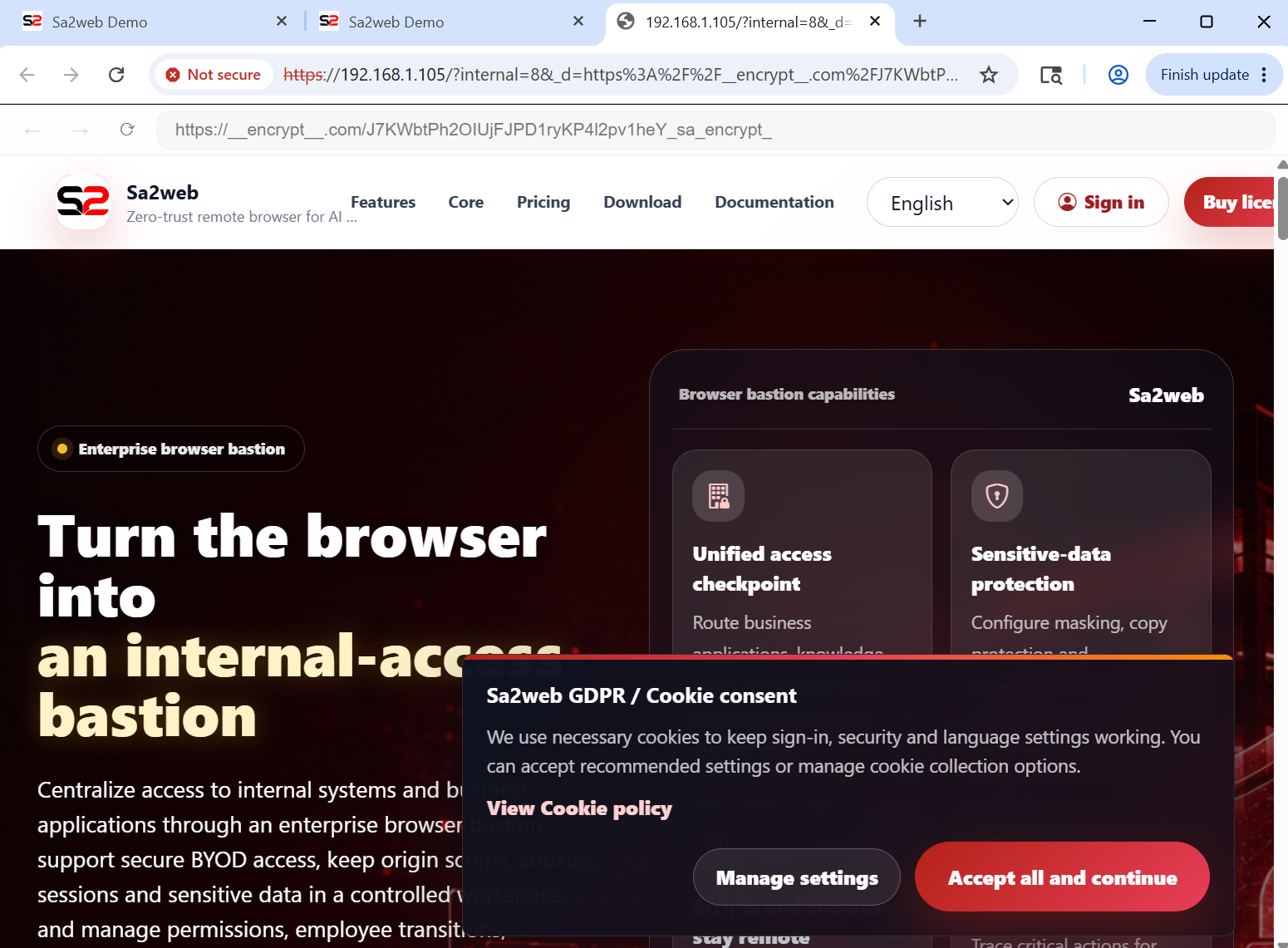
- Verify that the user frontend no longer directly displays the origin address.
When users access the site with encrypted URL enabled from the frontend, the result is shown in Figure 8.2.
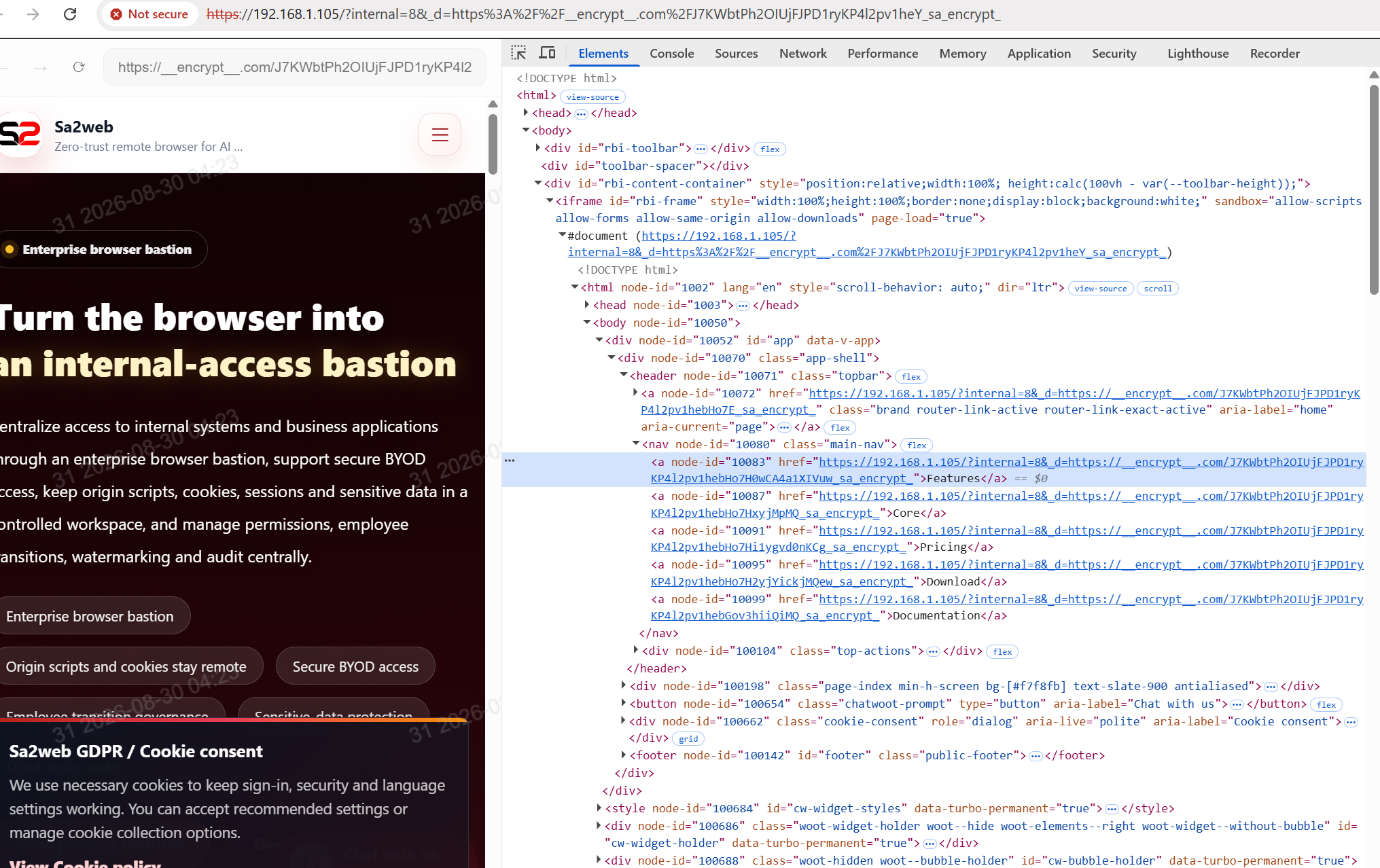
Open the browser developer tools and inspect the source. The link address is also encrypted, as shown in Figure 8.3.
8.4 Combine with Collaboration Links
Recommended flow:
Collaboration content
  ->
SaaS site
  ->
Encrypted URL
  ->
Collaboration link